


Schema Markup on Wix Studio — A Field Guide That Passes Validation
Every schema pattern you should be using on Wix Studio in 2026 — Organization, WebSite, Article, FAQ, BreadcrumbList, Service, Product — with examples that pass Google's Rich Results Test.
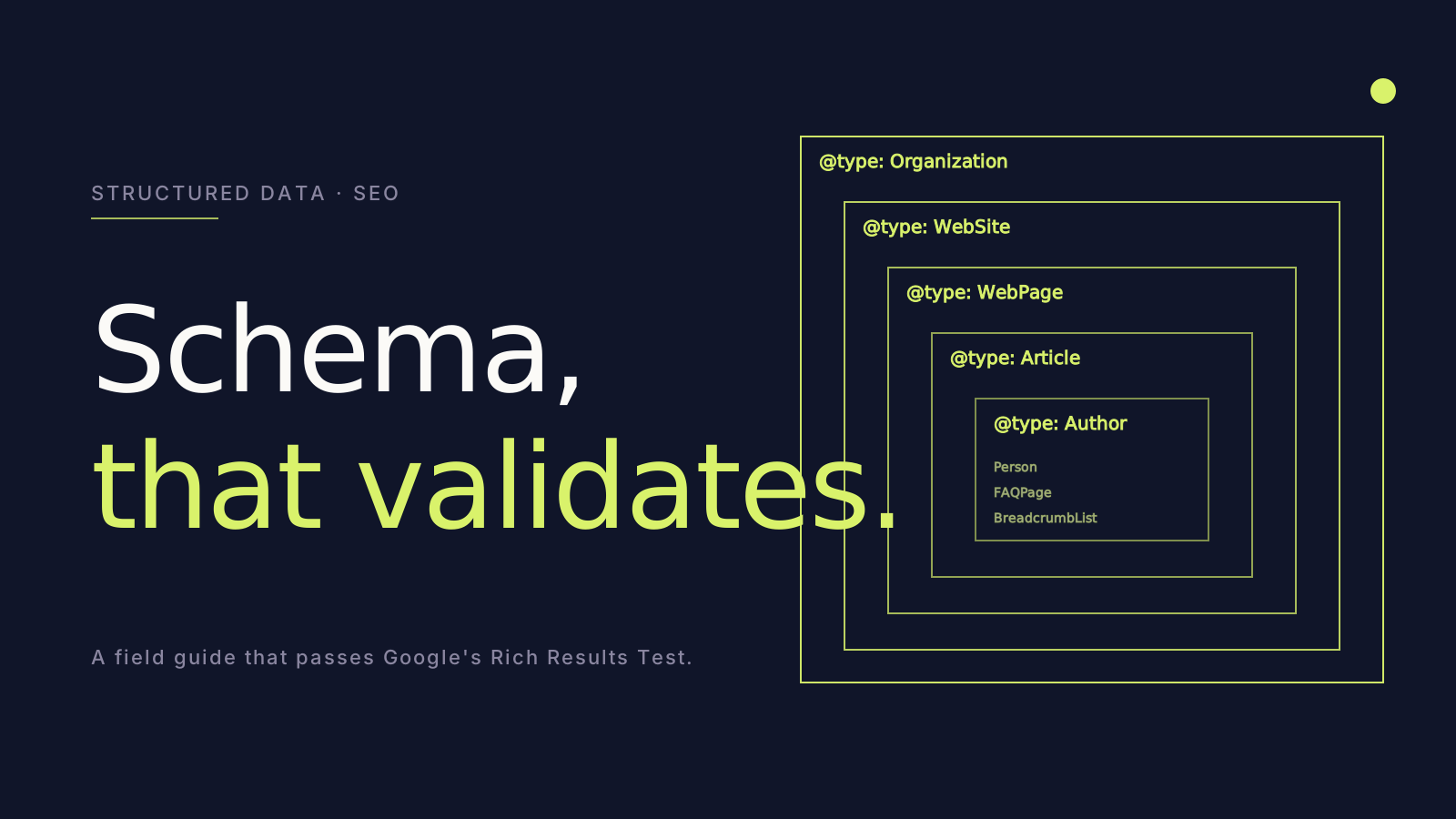
Schema markup is the single most under-used SEO lever on Wix. Properly composed schema unlocks rich results, sitelinks, FAQ snippets, and other SERP real estate that competitors leave on the table. Here is the architecture we deploy on every Wix Studio site.
The minimum sitewide schema
Every page should ship with three pieces of sitewide schema (typically injected via Wix Studio's site-level custom code):
CODE0
Plus a WebSite node with SearchAction (for sitelinks search box), and a BreadcrumbList per page.
Per-page schema
The page type determines the schema. Examples:
- Homepage:
WebPagereferring to the Organization. - About:
AboutPagewithmainEntitypointing to Organization. - Service:
Servicewith provider, areaServed, offers. - Article / blog post:
Articlewith author, datePublished, dateModified, image. - Product:
Productwith brand, offers, aggregateRating, reviews. - FAQ section:
FAQPagewith each Q&A as aQuestionnode. - Local business:
LocalBusiness(or specific subtype likeRestaurant,Dentist,LegalService) with address, geo, openingHoursSpecification.
We hand-write all of these. We never trust a "schema plugin" — they consistently produce invalid or duplicate output.
A practical FAQ schema example
CODE1
That's it. That snippet on a page with visible matching FAQ content will produce FAQ rich results in Google SERPs.
How to inject schema in Wix Studio
Three places:
- Site-level custom code in the Wix Dashboard — for sitewide schema (Organization, WebSite).
- Page-level custom code — for per-page schema that varies.
- Velo — for schema that needs to be generated dynamically (e.g., product listings, blog posts driven by CMS).
The Velo route is the most powerful. Read the page's CMS data, generate schema, output it inside <script type="application/ld+json"> via wixWindow.rendering.
Validation discipline
Every page on every site we ship passes:
- Google's Rich Results Test (search.google.com/test/rich-results).
- Schema.org Validator (validator.schema.org).
Both. Always. Before launch. We rerun the validation monthly during the care window because Wix updates can occasionally break things.
The number of audit reports we have written that surface schema errors from teams that swore they had it covered is in the hundreds.
Common mistakes we audit
- Duplicate schema — site code adds Organization, a plugin adds Organization, theme adds Organization. Three competing entities.
- Missing
@idcross-references — Article doesn't reference its Organization properly, so Google sees two separate entities. - Auto-generated schema with placeholder values — the plugin filled in "John Doe" as author and nobody noticed.
- Schema on a page without matching visible content — Google penalises this. FAQ schema requires the FAQ content to actually be on the page.
What schema unlocks
Rich results are not just cosmetic. They produce measurable lifts in CTR from SERPs:
- FAQ rich results: +5-15% CTR on the SERP listings that earn them.
- Product rich results with reviews: +10-25% CTR.
- BreadcrumbList: small but consistent CTR lift.
- Article with image: 1.5-2× CTR over plain text snippets.
Compounded over thousands of impressions, schema is one of the highest-ROI SEO levers on a Wix Studio site.
The takeaway
Schema is a discipline, not a checkbox. Hand-write it, validate it, monitor it. The Wix sites we have shipped that take schema seriously consistently out-rank competitors that don't — same content, same domain authority, different SERPs.